Guide
Requirements:
- A webserver
- PHP 8.3 or higher
- Projects to share!
Swarm is essentially a theme for Kirby 5 - a file-based PHP Content Management System.
Swarm supports exhibition websites and Portfolio Mode for personal showcases.
Kirby 5 is not free software. You can use it for evaluation, but to run it on a live site, you'll need to purchase a license from getkirby.com
Kirby offers free licenses for students and select educational projects. Learn more at Kirby website.
How-to video
Learn now to:
- Download the zip archive with a pre-built release of Swarm from Github
- Upload to hosting (alwaysdata as an example)
- Register Kirby panel account
- Upload work
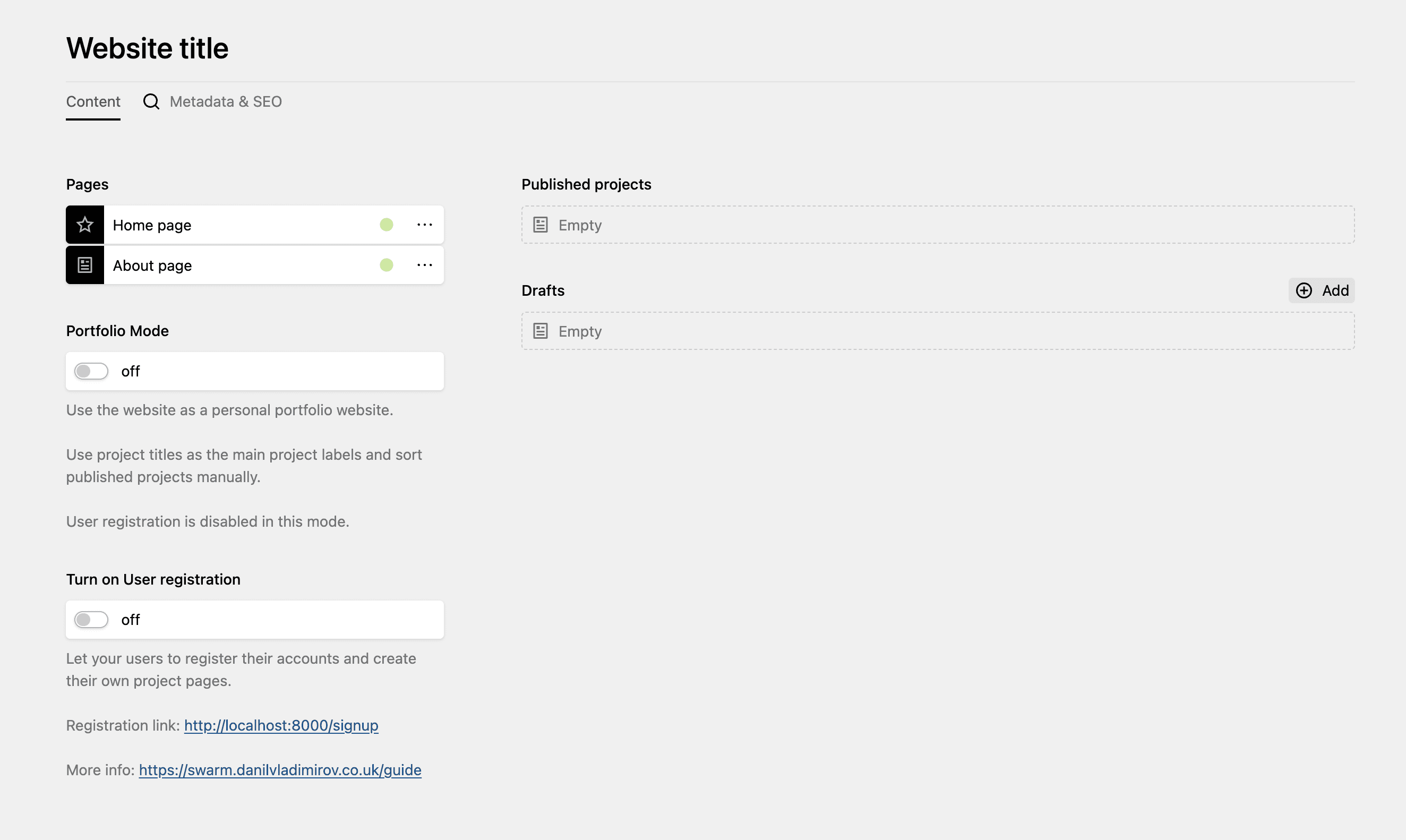
User registration
Allow (or disallow) participants to sign up and upload their work
Project categories
Set and organise exhibition works with custom categories
Portfolio Mode
Switch Swarm from a group exhibition website to a personal portfolio for showcasing your own work.
F.A.Q.
How do I install and launch it?
Download the pre-built Swarm release from GitHub as a ZIP archive. Unzip it and upload the contents to your web server.
What hosting service can I use?
Any hosting provider that supports PHP 8.3 or higher will work. Some good options are Krystal, Fortrabbit, and Uberspace. Alwaysdata also offers a free 100MB plan, though it may be slower.
Is it free to use?
Kirby 5 is not free software. You can use it for evaluation, but to run it on a live site, you'll need to purchase a license from getkirby.com
Swarm theme is free and open-source under the MIT License.
How many users can register on a website?
There is no actual limit, it can be 100-200 users/participants or even more, as long as you have free space on your web server to store project files.